Quick start
python -m venv .venv
.venv\Scripts\pip install -r requirements.txt
.venv\Scripts\python -m sme_bacnet_sim --config configs/demo-building.yaml
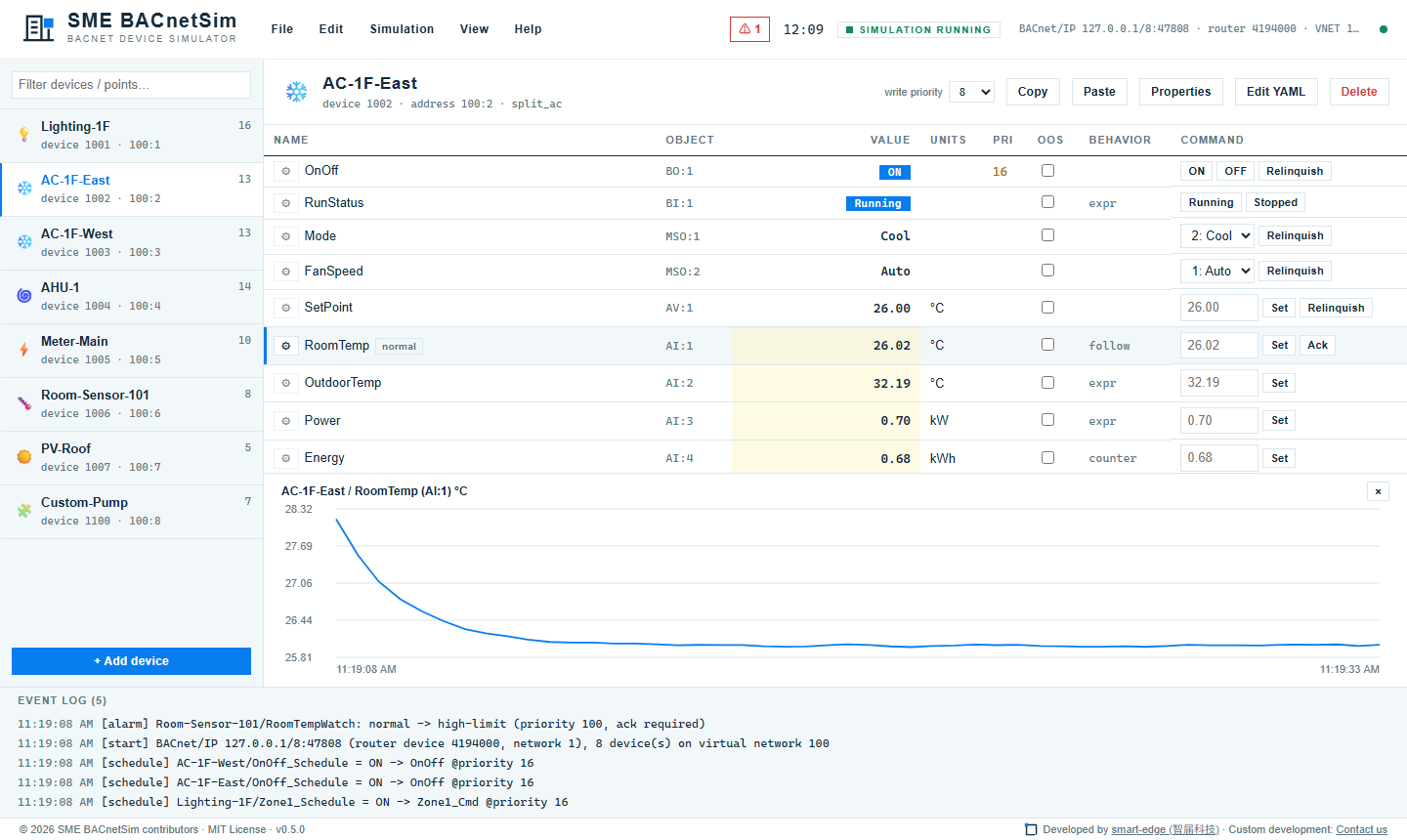
Open http://127.0.0.1:8080/ . Options:
| Option | Meaning |
|---|---|
-c, --config FILE |
YAML/JSON config (defaults to configs/demo-building.yaml) |
--ip 192.168.1.10/24 |
NIC address for BACnet/IP (default: auto-detect, /24) |
--bacnet-port 47808 |
BACnet/IP UDP port |
--foreign-bbmd 192.168.2.1[:47808] |
Register as a foreign device with this BBMD (overrides config) |
--foreign-ttl 300 |
Foreign device Time-to-Live in seconds (overrides config) |
--host 0.0.0.0 --http-port 8080 |
Web UI bind address (default localhost only) |
--browser |
Open the web UI in a browser on start (not opened by default; --no-browser is the default) |
Connecting a BACnet client
The client sees the router (device 4194000) at <ip>:47808 and the simulated devices at addresses such as
100:1, 100:2 (network 100, MAC 1, 2…) routed through it. In Yabe: Add device → BACnet/IP over UDP,
then Who-Is.
Same PC caveat: on Windows, a client on the same machine may not receive broadcast replies (Who-Is/I-Am) — unicast works. Run the client on another machine, bind the simulator to a different NIC than the client, or set
network.mode: bbmdand register the client as a foreign device.Client on another UDP port: Who-Is / I-Am broadcasts go to the simulator's port (47808 by default). A client bound to another port (e.g. 47809) does not receive the I-Am broadcasts and finds no devices. Either use the same port on both sides, or set
network.mode: bbmdand register the client as a foreign device with the simulator (<simulator ip>:47808); the I-Am replies are then forwarded to the client.
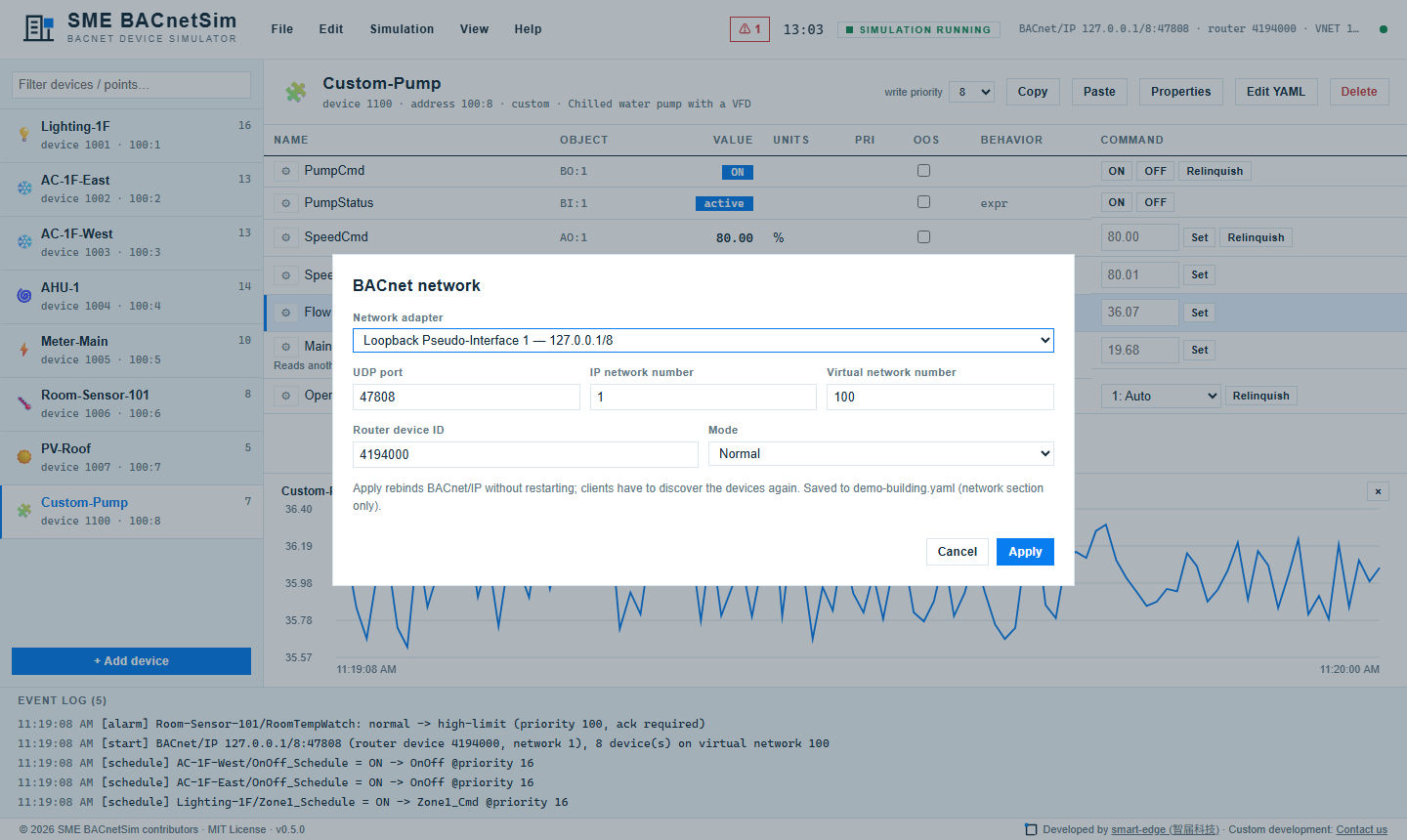
Network settings in the web UI
Edit → BACnet network… (or a click on the BACnet/IP address in the status bar) changes the network adapter
(listed by name and address/prefix, or Auto-detect), the UDP port, the IP-side and virtual network numbers, the
router device ID and the mode (normal / BBMD / foreign device with BBMD address and TTL). Apply checks the settings
(an address of this computer, a free UDP port, different network numbers, unique device IDs), rebinds BACnet/IP
without restarting and writes the network: section back to the config file (other sections and unsaved edits are
left as they are; comments inside network: are lost). Command-line options such as --ip / --bacnet-port still
win at the next start. Clients have to discover the devices again after a change.
Not supported: switching off Read-Property-Multiple or segmentation support (always on).
Docker
--network host (Linux) is needed for Who-Is / I-Am broadcasts. Without TZ the container clock is UTC, and
schedules and the clock in the UI follow it (the image includes tzdata).