イベントエンロールメント(algorithmic reporting)
type: ee(または event-enrollment)は Event Enrollment オブジェクトを作成します。同じデバイスの別の値オブジェクトの
present-value を監視し、Notification Class 経由で通知するため、alarm ブロックを持たないポイント(テンプレートの温度など)でも
アラームを出せます:
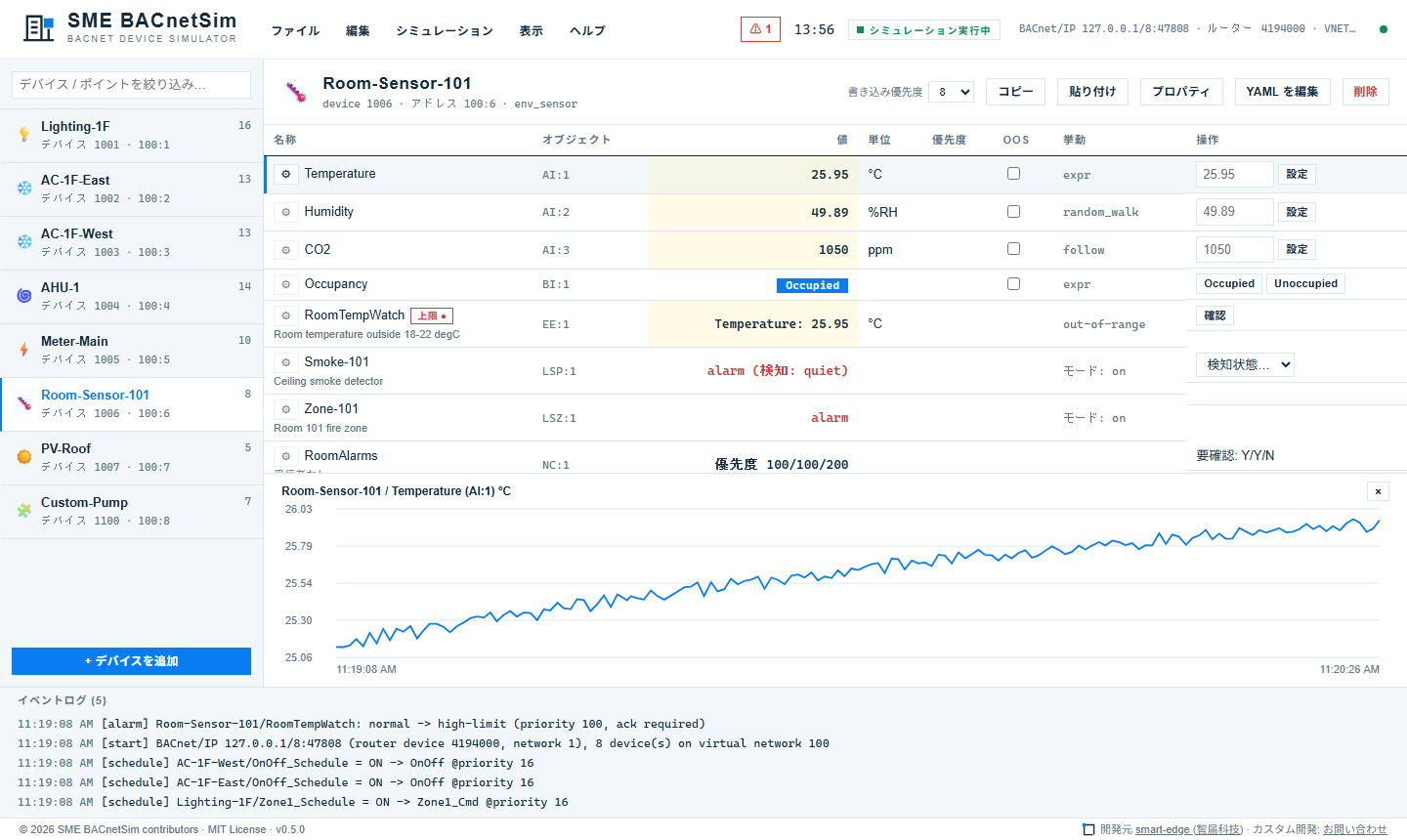
- type: ee
  name: RoomTempWatch
  monitored_object: Temperature
  event_type: out-of-range
  event_parameters: {low_limit: 18, high_limit: 28, deadband: 0.5}
  notification_class: RoomAlarms
  time_delay: 60
- {type: ee, name: ModeWatch, monitored_object: OperationMode, event_type: change-of-state,
   event_parameters: {alarm_values: [Maintenance]}, notification_class: 1, notify_type: event}
| キー | 意味 |
|---|---|
monitored_object |
同じデバイスの値オブジェクト名(Object_Property_Reference = その present-value) |
event_type |
out-of-range(アナログ、Accumulator を除く)または change-of-state(バイナリ / マルチステート) |
event_parameters |
out-of-range:low_limit、high_limit(両方必須・常に有効)、deadband;change-of-state:alarm_values(状態番号またはテキスト、バイナリは active / inactive) |
notification_class |
同じデバイスの notification-class オブジェクトの名前またはインスタンス |
time_delay、time_delay_normal |
シミュレーション秒(既定 0 / time_delay);time_delay は Event_Parameters の Time_Delay |
event_enable |
[to-offnormal, to-fault, to-normal]、既定はすべて true |
notify_type |
alarm(既定)または event |
イベントエンロールメントは intrinsic reporting と同じイベント状態遷移、通知、AcknowledgeAlarm、
GetEventInformation / GetAlarmSummary / GetEnrollmentSummary、Web UI(バッジと 確認 ボタン付きの行、表示 → アラーム)を使います。
event-parameters(同じイベントタイプ)、event-enable、notify-type、time-delay-normal、notification-class への
BACnet 書き込みは反映され、設定にも書き戻されます。acked-transitions は読み取り専用です。デモ設定の Room-Sensor-101 に
1 つあります。EDE エクスポートにはイベントエンロールメント(オブジェクトタイプ 9)が出力されます。EDE インポートでは
警告付きでスキップします(EDE は監視対象やパラメータを持たないため)。
Not supported:イベントタイプ floating-limit、change-of-value およびその他すべて(正確なアルゴリズムは ASHRAE 135 にのみ
規定)、イベントエンロールメントの故障検出(fault 状態 / change-of-reliability なし)、他デバイスのオブジェクトや
present-value 以外のプロパティの監視、BACnet 書き込みによる event-type / object-property-reference の変更、
CreateObject / DeleteObject によるイベントエンロールメントの作成 / 削除。イベントエンロールメントが監視している値オブジェクトは
削除できません。